










Prepare the CRM visibility, language and lead defaults before the team starts recording work.
Before you start
- Confirm who may see each commercial record.
- Agree the primary language and default lead source.
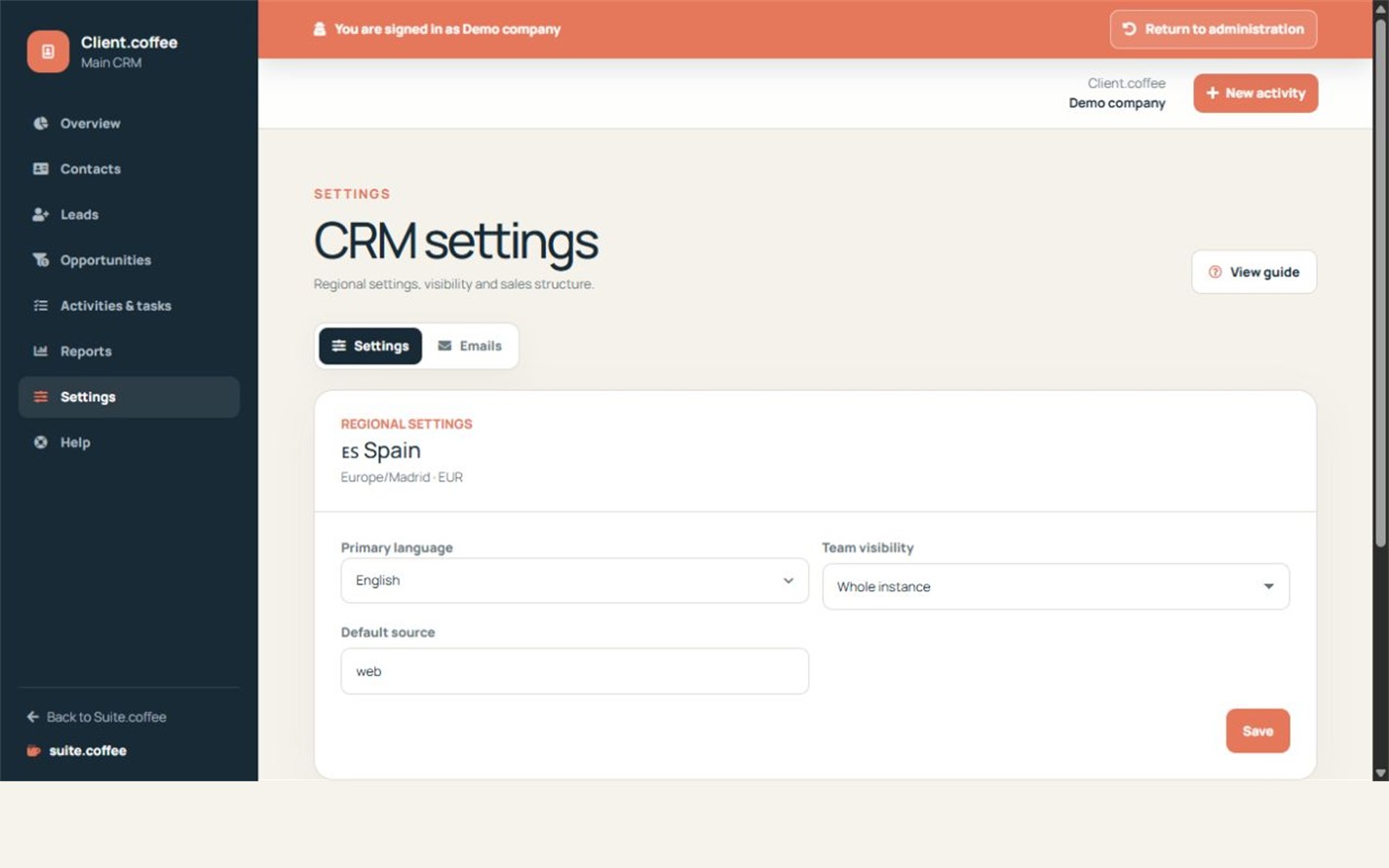
Complete the initial preferences
Client inherits the country and regional context of the instance. Choose its primary language, default lead source and the visibility rule that matches how the commercial team works.
Understand visibility
Whole instance, My team and Only assigned to me are enforced on the dashboard, lists, direct records, 360º view, reports and exports. The owner retains the complete instance view.
Create the first pipeline
Define at least three stages, including exactly one won and one lost closing stage. The assistant leaves the CRM ready for contacts, leads, opportunities and activities.
Step by step
- Open Settings.
- Choose the primary Client language.
- Select the team visibility rule.
- Set the default lead source.
- Review the active default pipeline and save.
Final check
- Visibility matches the commercial organisation.
- A valid default pipeline remains active.
- Suite-wide account settings were not changed.
Tip: Use the narrowest visibility that still supports real collaboration.