









Turn the daily overview into a prioritised list of real follow-up actions.
Before you start
- Keep opportunity stages and due activities current.
- Confirm the visibility scope of the signed-in user.
Start with the next actions
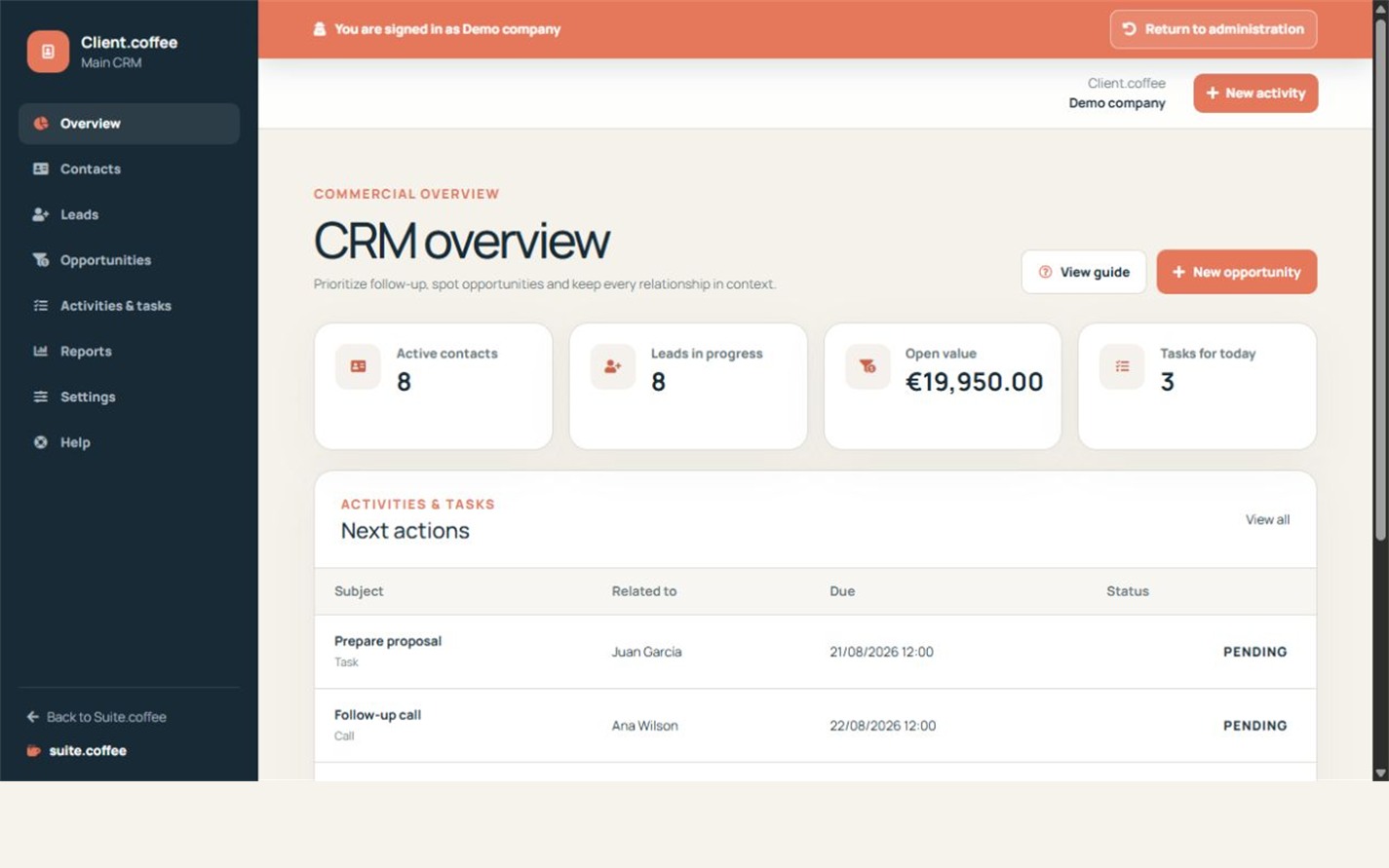
The overview highlights active contacts, leads in progress, open pipeline value and tasks due today. Use the upcoming actions list to decide what needs attention first.
Keep source records current
Dashboard figures come from leads, opportunities and activities visible to the current user. Complete or reschedule tasks and update opportunity stages so the summary reflects reality.
Interpret values carefully
Estimated and open pipeline amounts are forecasts stored in the CRM currency. They are not issued invoices, recognised revenue or collected payments.
Step by step
- Open Overview.
- Compare active contacts, leads and open pipeline value.
- Review tasks due today.
- Open the next action that needs attention.
- Complete, reschedule or update its source record.
Final check
- No overdue action was ignored.
- Closed work no longer appears as pending.
- Forecast value is not treated as invoiced revenue.
Tip: A useful dashboard is the result of current source records, not a separate reporting workflow.