







Adapt operational follow-up emails by language while retaining the protected layout and variables.
Before you start
- Confirm the primary service language.
- Identify only translations the team can maintain.
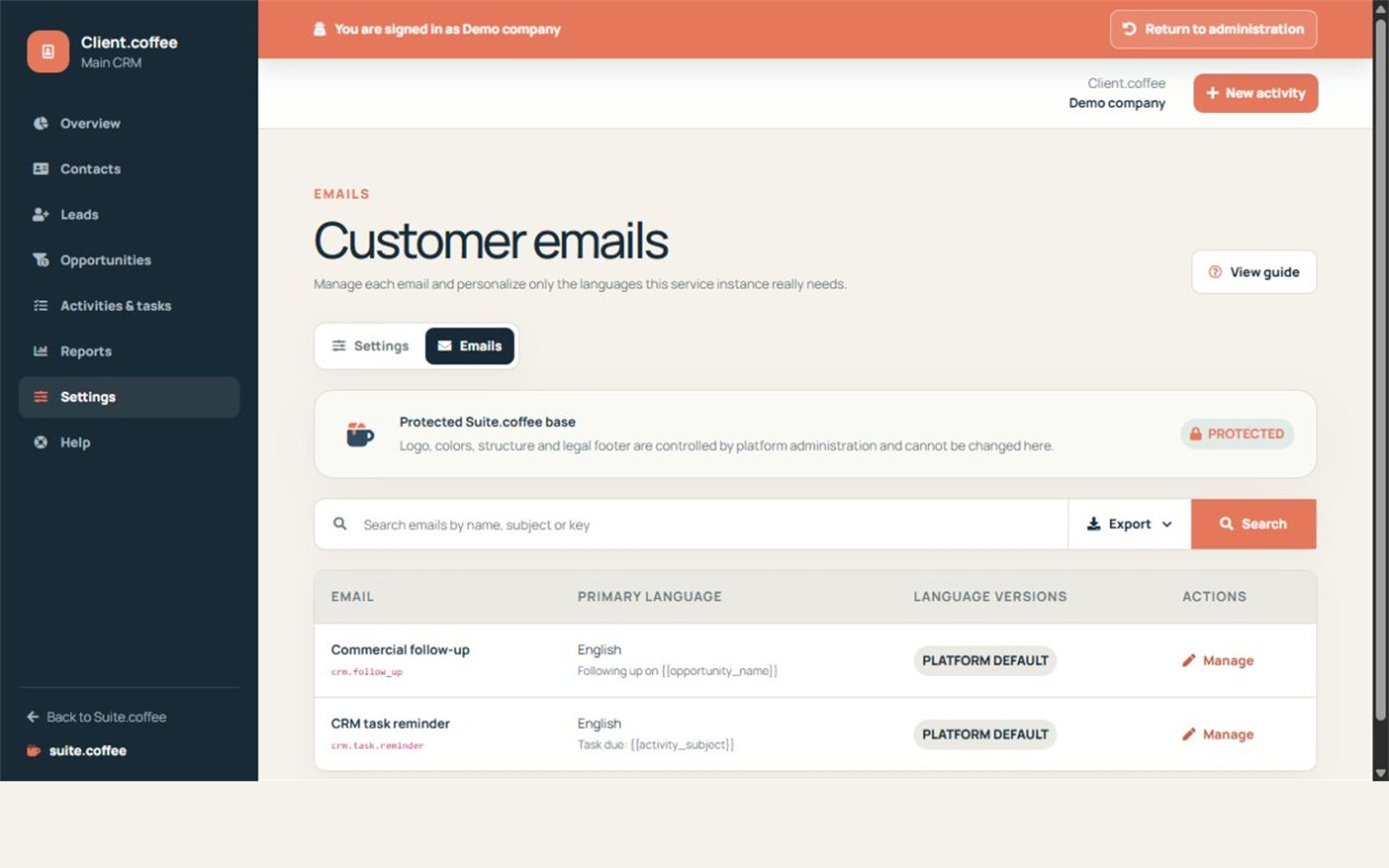
Keep the protected Suite base
Client uses the common email layout for follow-up and task reminder notifications. Customise sender and content while retaining required variables and operational links.
Work by language
Review the primary version first, then add only the languages your team needs. Preview the full message before relying on a customised translation.
Understand the boundary
These templates support CRM operations. Client does not provide a marketing automation engine, bulk campaign sender, advertising lead capture or shared email inbox.
Step by step
- Open Emails.
- Choose the follow-up or reminder template.
- Review sender and primary content.
- Add or edit only required languages.
- Preview links and variables before saving.
Final check
- Required variables remain present.
- Content describes the real CRM workflow.
- Every maintained language was reviewed.
Tip: These templates are operational notifications, not bulk marketing campaigns or a shared inbox.